
Custom Software vs Off-the-Shelf Tools: How to Decide
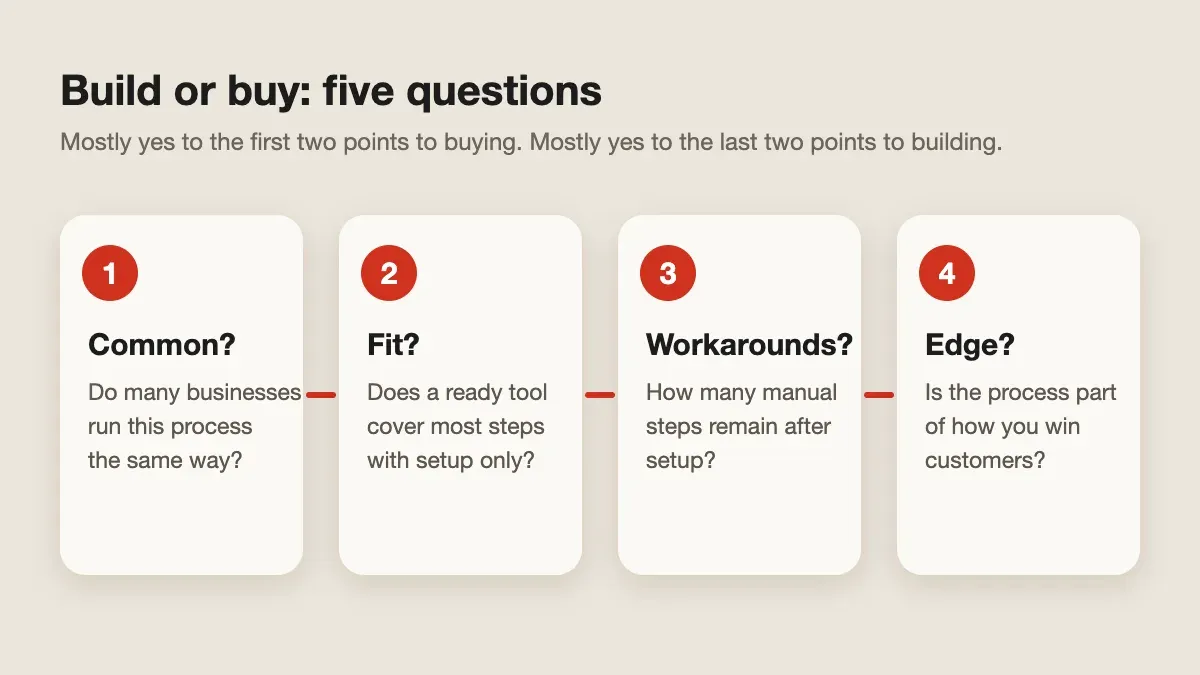
Quick answer: Start with ready-made software when your process is common and the tool fits with only minor setup. Consider custom software when the process is a real advantage, the tool forces costly workarounds, or the data and rules do not fit anywhere else. Test an off-the-shelf option first.
- Author
- KainoLab Team
- Written
- Oct 13, 2026
- Service
- Digital tools
Most small businesses should not build software for every problem. A good ready-made tool is cheaper to start and comes with support. Custom software makes sense when the tool cannot follow the way you actually work.
This guide gives a practical way to decide. It is a framework, not a verdict on any specific product.
When does off-the-shelf software fit best?
Ready-made tools fit when the process is common: accounting, email, scheduling, basic CRM, or document storage. If a tool covers most steps with configuration alone, buying saves time and spreads the maintenance cost across many customers.
When does custom software make sense?
Consider custom work when:
- Your process is a competitive advantage, such as how you quote, schedule, or review work.
- Staff keep a spreadsheet beside the tool to cover what it cannot do.
- Rules, approvals, or roles are specific to your business.
- Several tools must pass data to each other, and manual copying causes mistakes.
Our guide on replacing spreadsheets with a custom internal tool explains when a spreadsheet has reached its limit.
How do the costs compare over time?
| Factor | Off-the-shelf | Custom |
|---|---|---|
| Start-up effort | Usually lower | Higher: discovery, design, build |
| Ongoing cost | Subscription fees that can grow with users | Hosting, support, and updates you plan for |
| Fit to your process | Adapt your process to the tool | Tool follows your process |
| Data control | Depends on the supplier’s export and terms | You decide the structure and ownership |
| Change speed | Wait for the supplier’s roadmap | Prioritise changes yourself |
Neither column wins automatically. Price a three-year view, not only the first month. Include the staff time lost to workarounds.
What should you try first?
Run a short trial of the best ready-made option with real data. Write down each place it fails: a missing field, a permission you cannot set, an export you need. If the list is short, buy. If it is long and affects daily work, you have the beginning of a brief for custom software.
Use the custom web application brief guide to turn that list into a request a studio can price.
A middle path
You do not have to choose all or nothing. Many businesses keep a standard tool for the common parts and add a small custom piece for the one workflow that sets them apart, connected through the standard tool’s integrations.
What questions should you ask a supplier?
- Can I export all my data in a usable format?
- Who maintains the software after launch?
- What happens if I want to move away?
KainoLab builds web apps, mobile apps, and digital tools for operational problems. If you have a trial list of gaps, contact the team and we can tell you honestly whether custom work is worth it.