Private Clipboard Manager for Mac: Local Storage, No Cloud, No Account
Quick answer: A private clipboard manager for Mac keeps history on your computer, needs no account, ignores password manager copies, removes detected sensitive values and lets you pause recording. Check the privacy documentation for what is stored, what is sent over the network and how updates work. No tool can promise to catch every private string.
- Author
- KainoLab Team
- Published
- Oct 31, 2026
- Product
- Historr
Photo: Sasun Bughdaryan on Unsplash. The cover is a stock photograph, not a Historr screenshot.
Publisher disclosure: Historr is made by KainoLab, the publisher of this guide. Product details were checked against official pages on 31 October 2026. This is not an independent test.
Your clipboard sees more than almost any other part of your Mac. Passwords, one-time codes, private messages and card numbers can all pass through it for a few seconds. A clipboard manager records that stream, so choosing a private one matters.
This guide explains what privacy features to look for and what to verify before you trust a tool. See also our best clipboard manager for Mac comparison.
What does a private clipboard manager look like?
| Privacy feature | What to check |
|---|---|
| Local storage | History stays on your Mac and is not uploaded |
| No account | You can use it without signing in |
| Password manager handling | Concealed or transient copies are ignored |
| Auto-expiry | Detected sensitive values are removed after a short time |
| Pause control | You can stop recording when needed |
| Network behaviour | Documented update checks and no clipboard data sent |
What does Historr document?
Historr’s privacy documentation states that history is stored locally on your Mac, with no cloud account, no clipboard sync server and no telemetry. It says copies that password managers mark as concealed or transient are ignored, and that card numbers, one-time codes and token-like values can be removed after a short period. The documentation does not specify encryption at rest, so do not assume it.
The daily update check, available from version 0.1.5, downloads version details from historr.com and includes no clipboard content. You can turn automatic checks off in Preferences, according to the documentation.
What does Maccy say?
Maccy’s site says that if a password manager clears a copied password from the clipboard, Maccy clears it from its history too, and that all data stays on your computer. It is open source, so its code can be reviewed on GitHub.
What cannot a clipboard manager guarantee?
Detection of sensitive values uses patterns, and patterns miss things. A manager cannot know that a random string is a private key or that a short message is confidential. Treat expiry and ignore features as a safety net, not a guarantee.
For particularly sensitive work, pause recording first. In Historr, Pause Recording is in the menu bar, as the documentation describes.
How should you handle sensitive copies?
- Use a password manager that clears the clipboard after a short time.
- Pause recording before handling secrets.
- Clear history after a sensitive session. Historr’s Clean Up menu includes Clear History, and Command-Z can undo a removal.
- Set expiry so detected values disappear automatically. Our guide to auto-expiring sensitive copies explains the setting.
- Keep the Mac locked when you step away.
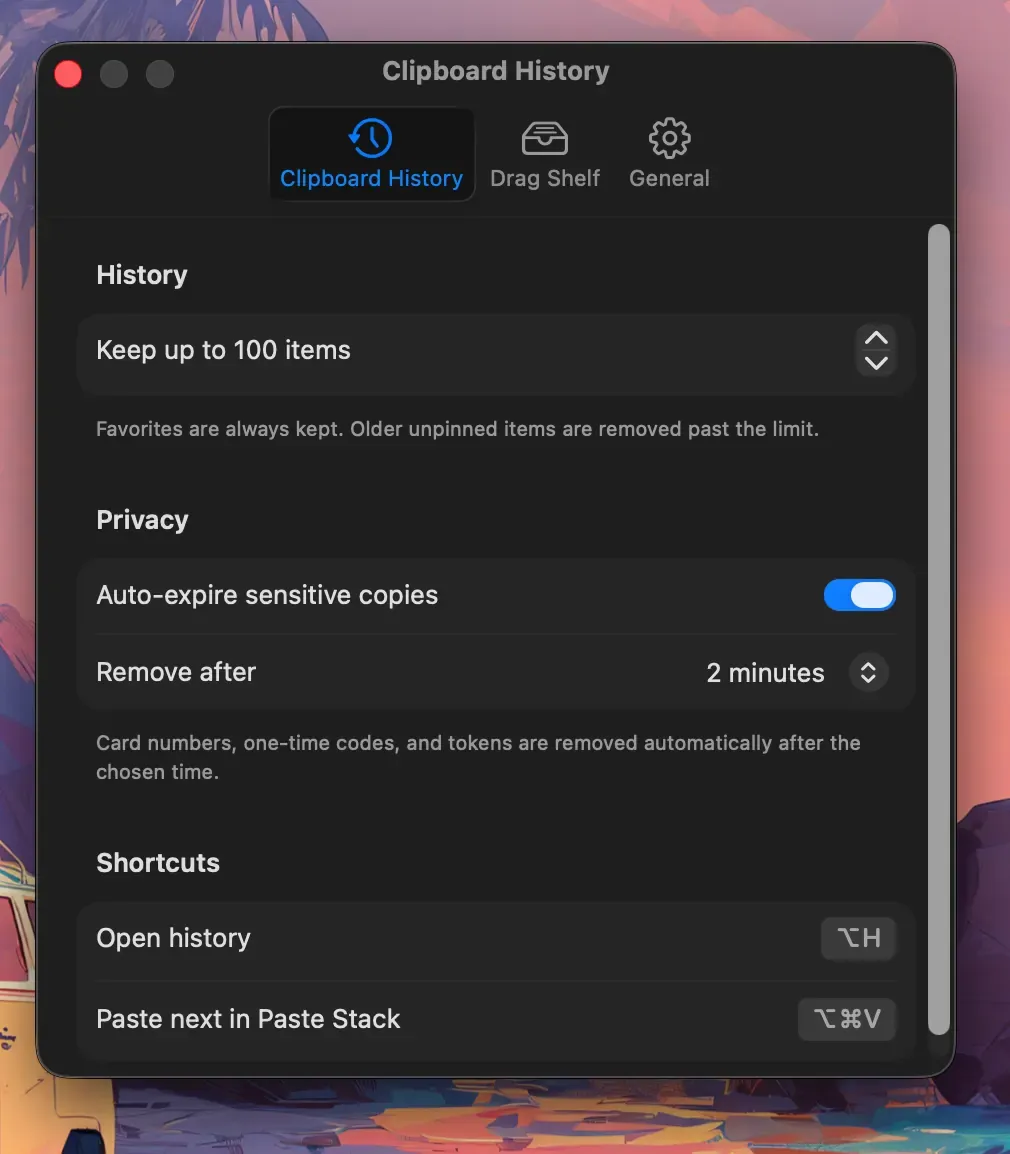
Real Historr screenshot supplied on 8 October 2026 (version 0.1.6). It illustrates the interface only.
What permissions does it need?
Pasting into other apps normally needs macOS Accessibility access. Historr documents that capturing copies needs no permission, while pasting uses Accessibility, which you grant in System Settings under Privacy and Security. Only grant it to apps you trust. If you want to review it later, you can switch it off in the same place.
Does local storage mean it is secure?
Local storage avoids sending your data to a server, which removes one risk. It does not stop someone with access to your unlocked Mac or your backups from reading files. Use FileVault disk encryption and a strong login password. Local storage is a good start, not the whole answer.
Frequently asked questions
Is cloud sync always bad for privacy? Not always, but it adds another place where clipboard content is stored and another account to protect. Decide whether you need sync before choosing a tool that has it.
Can I check what a clipboard manager sends over the network? Advanced users can inspect traffic with a network monitor. Beginners should read the documentation and prefer tools that explain their network behaviour.
Is an open-source manager more private? Open source lets others review the code, which helps trust. It does not guarantee safety, so still read about storage and permissions.
Should I turn off clipboard history while using a banking site? Pausing recording before sensitive sessions is a sensible habit. Resume it afterwards.
Does a firewall help? A firewall can show which apps connect to the internet, which lets you check a manager’s network behaviour against its documentation.
Key takeaways
- Look for local storage, no account and password manager handling.
- Use pause, expiry and clearing for sensitive work.
- Remember that no tool can detect every secret.


