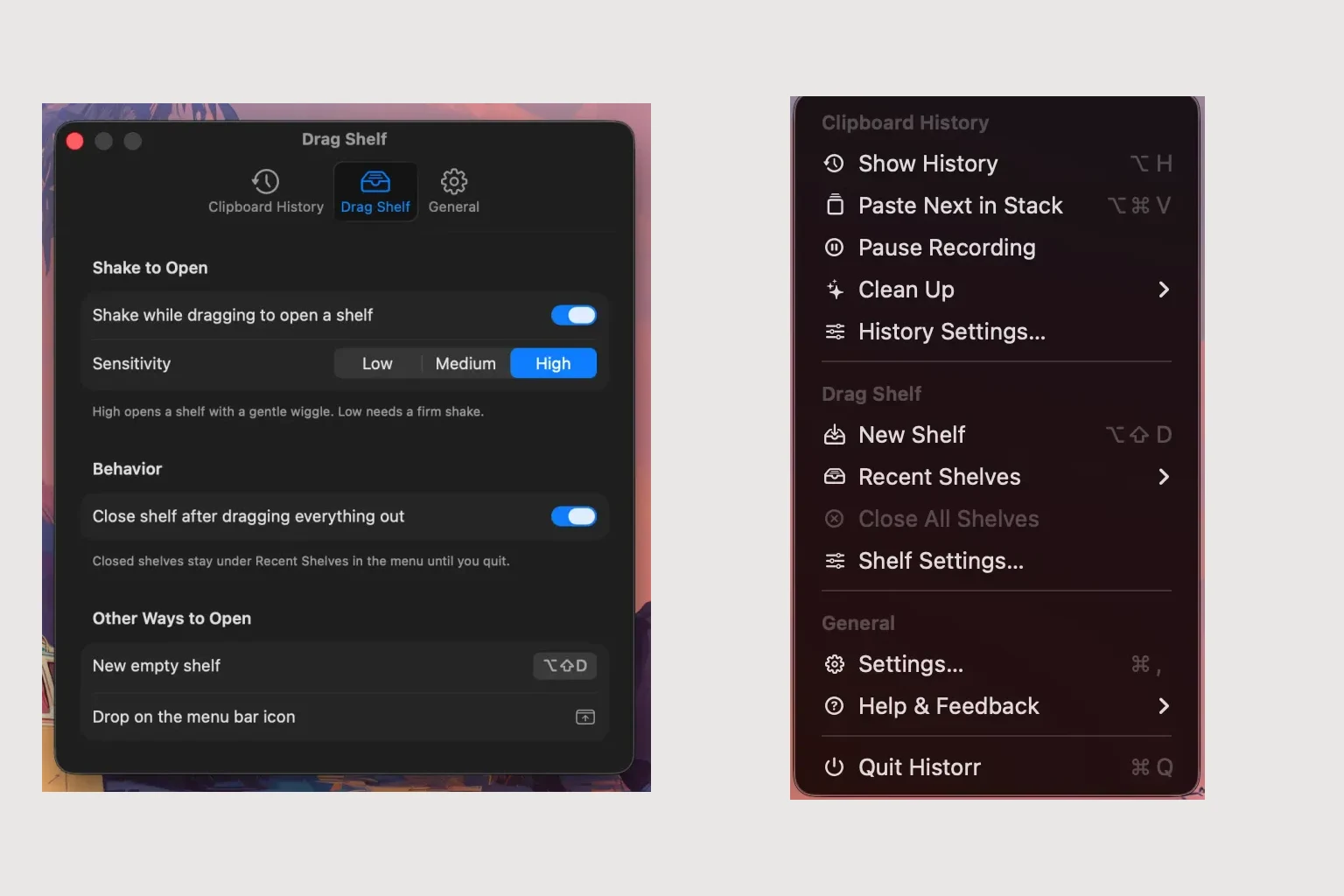
Choosing a Dropover Alternative: Manual Shelves or Watched Folders
Quick answer: Choose a manual shelf when you want to select exactly which files belong in a handoff. Consider watched-folder automation when new files should be collected without repeated selection. Historr’s documented manual shelf pairs with clipboard history; Dropover documents folder monitoring.
- Author
- KainoLab Team
- Written
- Oct 23, 2026
- Product
- Historr
Publisher disclosure: Historr is made by KainoLab. This guide uses official product documentation and hypothetical workflow examples, not independent benchmark results. Product details checked on 23 October 2026. The cover pairs two real screenshots; it is not a single app window.
Decide what should trigger collection
Before choosing a Dropover alternative, ask whether the collection should start because you selected an item or because a file arrived in a folder. Those are different needs.
A manually selected shelf can suit a client package where only approved files belong. A watched folder can suit a repeated intake where files arrive in a known location. Neither approach guarantees that the collected items are the correct versions.
Where Historr’s combined workflow fits
The Historr shelf guide describes opening a shelf by shaking during a drag, using Option-Shift-D or dropping onto the menu-bar icon. These are deliberate ways to gather selected items.
Pair that collection with clipboard history and Paste Stack when the same task needs earlier copied text. For example, a hypothetical delivery might need an approved message recovered from history and two files selected from separate folders.
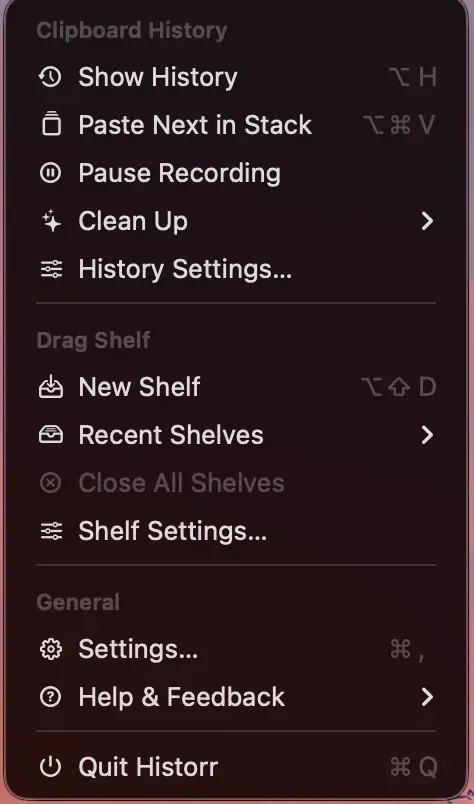
Real Historr screenshot supplied on 8 October 2026. It illustrates the interface; workflow examples in this article are hypothetical.
The actual settings screenshot shows shake sensitivity and close-after-drag behaviour. It does not show a watched-folder setup.
When automated collection is the requirement
Dropover’s tips describe monitoring folders to collect newly added files, including filtered collection. If that is central to your routine, evaluate it directly. The Historr documentation reviewed for this article describes manual collection and does not document an equivalent watched-folder setup.
Avoid treating “both in one app” as a reason to drop a feature your work depends on. Clipboard retrieval may be useful, but it does not replace an automated intake rule.
Compare with a realistic sample task
Create a test folder containing three harmless files: one approved document, one old version and one unrelated image. Then try the collection method you are considering.
For manual selection, check whether it is easy to identify and collect only the approved document. For automation, check what enters the shelf and how you exclude unwanted files. Add a copied instruction to the final draft and see whether retrieving it is a recurring part of the work.
Judge the outcome by accuracy and effort in your own task, rather than an unverified speed claim. Save the final collection outside any temporary shelf. Read Historr’s file-copy behaviour before testing a real handoff.
Choose Historr if its documented combination matches your needs; retain or evaluate a tool with folder monitoring when automation is the deciding requirement.


