
Is Historr Safe? What the App Stores, Sends and Asks For
Quick answer: Historr documents local storage, no account and no telemetry. It ignores copies that password managers mark as concealed, can remove detected sensitive values after a short time, and is signed with a Developer ID and notarized by Apple. It asks for macOS Accessibility access to paste. No independent security audit is claimed, so judge it on the documentation.
- Author
- KainoLab Team
- Published
- Oct 31, 2026
- Product
- Historr
Photo: FlyD on Unsplash. The cover is a stock photograph, not a Historr screenshot.
Publisher disclosure: Historr is made by KainoLab, the publisher of this guide. Product details were checked against official pages on 31 October 2026. This is not an independent test.
A clipboard manager sees sensitive text, so asking whether an app is safe is the right question. This guide summarises what Historr’s own documentation says, what it does not say and how to check for yourself. Because KainoLab makes Historr, treat this as a publisher’s explanation, not an independent audit.
What does Historr say about storage?
According to the privacy documentation, clipboard history is stored locally on your Mac. There is no cloud account, no clipboard sync server and no telemetry. Images stay on your Mac and are not uploaded, per the documentation.
The privacy page does not state whether history is encrypted at rest. Do not assume it is. Use FileVault disk encryption for protection if your Mac is lost.
What does it send over the network?
From version 0.1.5, Historr checks for updates once a day. The documentation says the check downloads version details and release notes from historr.com, includes no clipboard content or usage data and can be turned off in Preferences. Updates are signed and verified before installation. If you submit a review from the app, the review and any name you enter are sent.
How does it handle sensitive copies?
| Protection | What the documentation says |
|---|---|
| Password managers | Copies marked concealed or transient are ignored |
| Auto-expiry | Detected card numbers, one-time codes and token-like values are removed after a few minutes |
| Pause Recording | Stops recording from the menu bar |
| Undo | Command-Z restores deleted items, up to 10 levels |
The documentation does not list the exact detection patterns, so do not rely on expiry for every secret. For sensitive work, pause recording first. See our auto-expire guide.
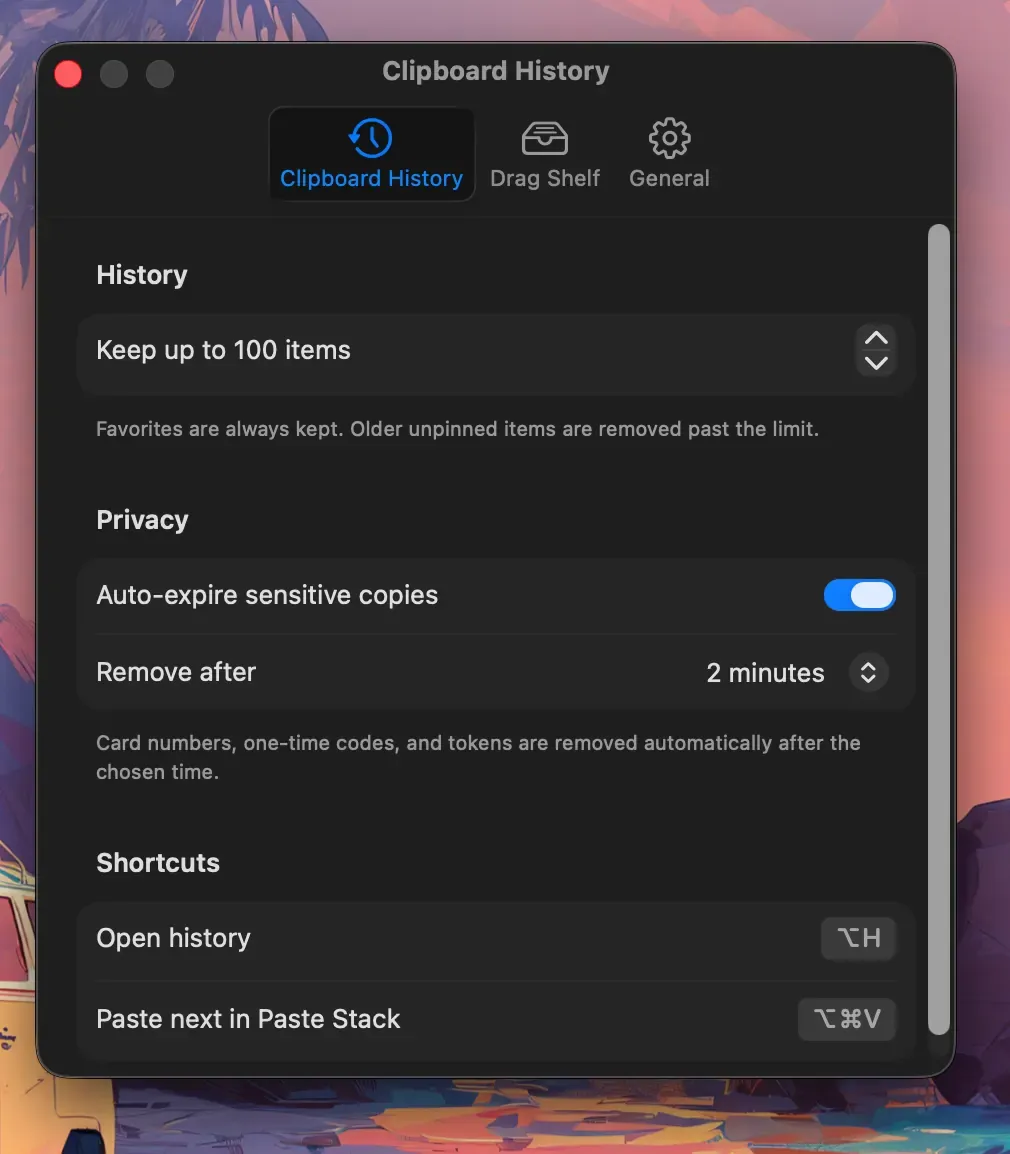
Real Historr screenshot supplied on 8 October 2026 (version 0.1.6). It illustrates the interface only.
Is the app notarized?
The installation documentation says the app is signed with a Developer ID and notarized by Apple. Notarization means Apple scanned the app for known malicious content before distribution. It is a helpful check, not a guarantee of safe behaviour.
Why does Historr need Accessibility access?
Capturing copy history needs no permission, the documentation says. Pasting into other apps uses macOS Accessibility access, which Historr requests on first launch. You can review it in System Settings under Privacy and Security, then Accessibility. If you would rather not grant it, you can still open the history, but pasting into other apps may not work.
Grant Accessibility only to software you trust and revoke it if you stop using the app.
How can you check for yourself?
- Download only from the official site, historr.com.
- Read the privacy page and compare it with your needs.
- Check Preferences for update, expiry and history settings.
- Watch network use with a firewall tool if you want proof.
- Test with harmless text first and confirm expiry and pause behave as described.
Keep your Mac secure too. Use FileVault and a strong password, and keep macOS updated.
What does Historr not claim?
It does not claim an independent security audit, encryption at rest or perfect detection of sensitive text. It does not claim to protect you if your Mac is already compromised. If you handle highly sensitive data, consult your organisation’s security rules before using any clipboard tool.
How does it compare with other tools?
Maccy’s site says its data stays on your computer, and it is open source. Open source lets people inspect code, which some users prefer. Compare options in private clipboard managers without the cloud.
Frequently asked questions
Does Historr collect my clipboard? Its documentation says copied content is not sent to a server and there is no telemetry.
Is it safe to copy passwords with Historr running? Use a password manager that flags copies as concealed. Historr ignores those, per its documentation. Pause recording for manual secrets.
Can I remove Historr completely? You can quit and delete the app from Applications. The documentation does not cover uninstalling, so check the app’s files if you want to remove history data.
Does Historr work without internet? The clipboard history is stored locally. The daily update check needs a connection but includes no clipboard data, and you can turn it off.
Should my company approve it first? If you handle regulated or confidential data, follow your organisation’s software and security policy before installing any new app.
Key takeaways
- Historr documents local storage, no account and no telemetry.
- It is signed and notarized, and asks for Accessibility to paste.
- No audit or encryption at rest is claimed, so use pause, expiry and FileVault.


