A Free Dropover Alternative for Mac with Clipboard History
Quick answer: Historr is a free Dropover alternative for the basic collect-and-drag-out shelf workflow, with clipboard history in the same app. Dropover offers additional upload and automation workflows. Compare the tasks you need, and remember that Dropover Pro is a one-time upgrade rather than a subscription.
- Author
- KainoLab Team
- Written
- Oct 8, 2026
- Product
- Historr
A temporary shelf gives you somewhere to put dragged files while you find their destination. The best choice depends on what you want to do after collection.
This comparison is from KainoLab, the maker of Historr. Dropover details were checked against the developer’s site on 8 October 2026.
How does Historr’s shelf open?
The screenshot shows Shake while dragging to open a shelf, with Low, Medium, and High sensitivity settings. It also shows New empty shelf and Drop on the menu bar icon as other ways to open it.
You can start with the manual New Shelf action before practicing the shake gesture. That separates basic file collection from gesture setup.
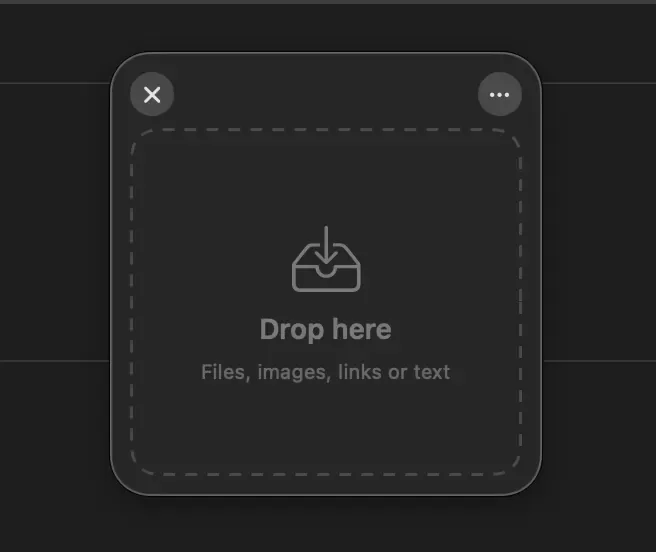
The empty shelf provides a temporary destination while you collect the items for the task.
Is Dropover paid, free, or a subscription?
Dropover’s official FAQ says it has a fully functional 14-day trial. Afterward, the app remains usable with a three-second wait before interacting with the shelf. Dropover Pro removes that restriction through a one-time in-app purchase.
That is different from a mandatory subscription. Historr is free; Dropover’s model combines a trial, limited continued use, and a paid upgrade.
Check current local purchase terms through the official listing. Do not assume one currency price applies to every storefront.
What should you compare?
| Decision | Historr | Dropover |
|---|---|---|
| Basic collection workflow | Collect dragged items on a shelf | Collect dragged items on a shelf |
| Shake gesture | Shown in shown settings | Described by the developer |
| Clipboard-history workflow | Included in the app | Evaluate its shelf clipboard support against your needs |
| Continued free use | Free product | Post-trial use has a waiting restriction |
| Cloud upload and automation needs | Do not assume parity | Documented by the developer |
Dropover’s product page describes cloud uploads, custom actions, scripts, and watched folders. These are reasons to investigate it if your work needs more than temporary collection.
An upload feature does not mean files are uploaded automatically when placed on a shelf. The developer’s FAQ says uploads require an explicit action.
Try a basic collection workflow
- Prepare a few harmless sample files.
- Open Historr’s New Shelf action.
- Drop the first item on the shelf.
- Find another item in a different folder.
- Add it to the same collection.
- Drag the intended collection to a test destination.
- Inspect the result and the source files.
The shelf screenshot shows a folder and another item in a two-item collection.
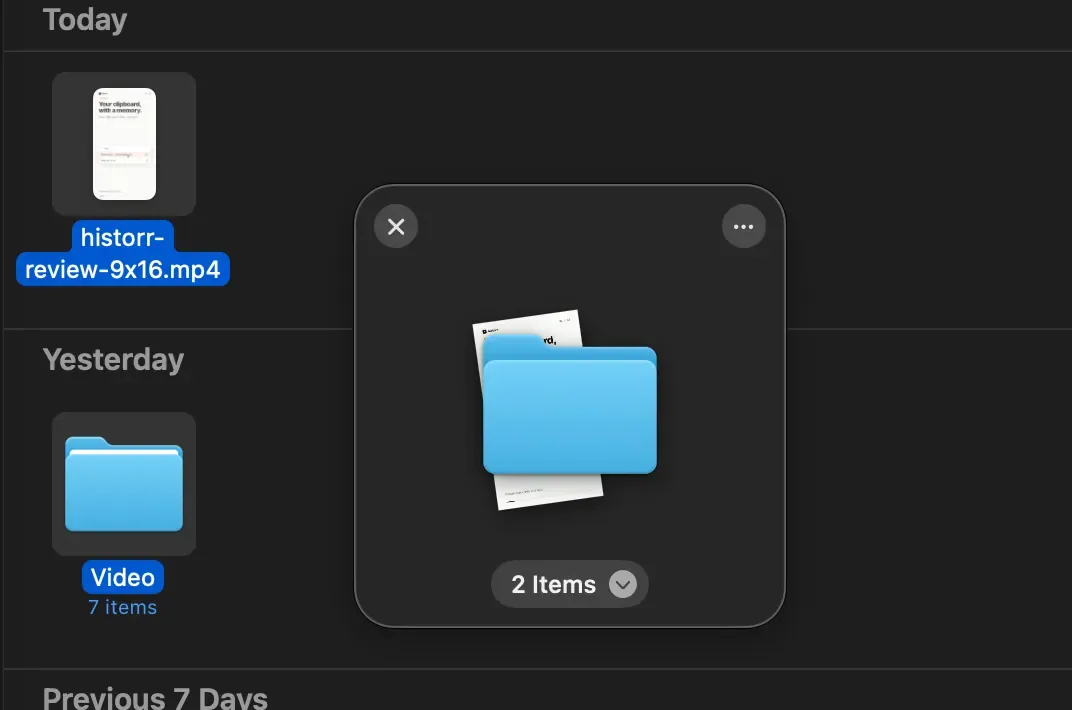
Confirm which items are included before moving the collection out.
Do not assume that every destination app handles dragged items in the same way. File move and copy behavior needs checking in the actual workflow.
When might Dropover still fit better?
If you rely on its documented cloud destinations, folder monitoring, or custom automation, test those requirements directly. A basic shelf alternative is not automatically a replacement for an established automated setup.
For clipboard search, favorites, and ordered text entry, evaluate Historr’s history features separately. The Paste Stack guide explains the queue workflow.
What if the shake gesture does not work?
Check the toggle, sensitivity, and Accessibility status shown in Historr’s settings. Use New Shelf to confirm that manual opening works. The Drag Shelf troubleshooting guide walks through those checks.
Try Historr if a free shelf plus local clipboard history fits the tasks you actually do.