
Why Your Mac Clipboard History Is Missing an Item
Quick answer: Check four things in Historr: Undo after a removal, Pause Recording, the Auto-expire sensitive copies setting, and the history limit. Favorites are always kept, so star anything you need long term.
- Author
- KainoLab Team
- Written
- Oct 13, 2026
- Product
- Historr
You copied something, opened your clipboard history, and it is not there. In Historr there are four common explanations, and each is visible in the app’s own controls.
This guide uses the interface shown in version 0.1.6 screenshots. Your version may look different.
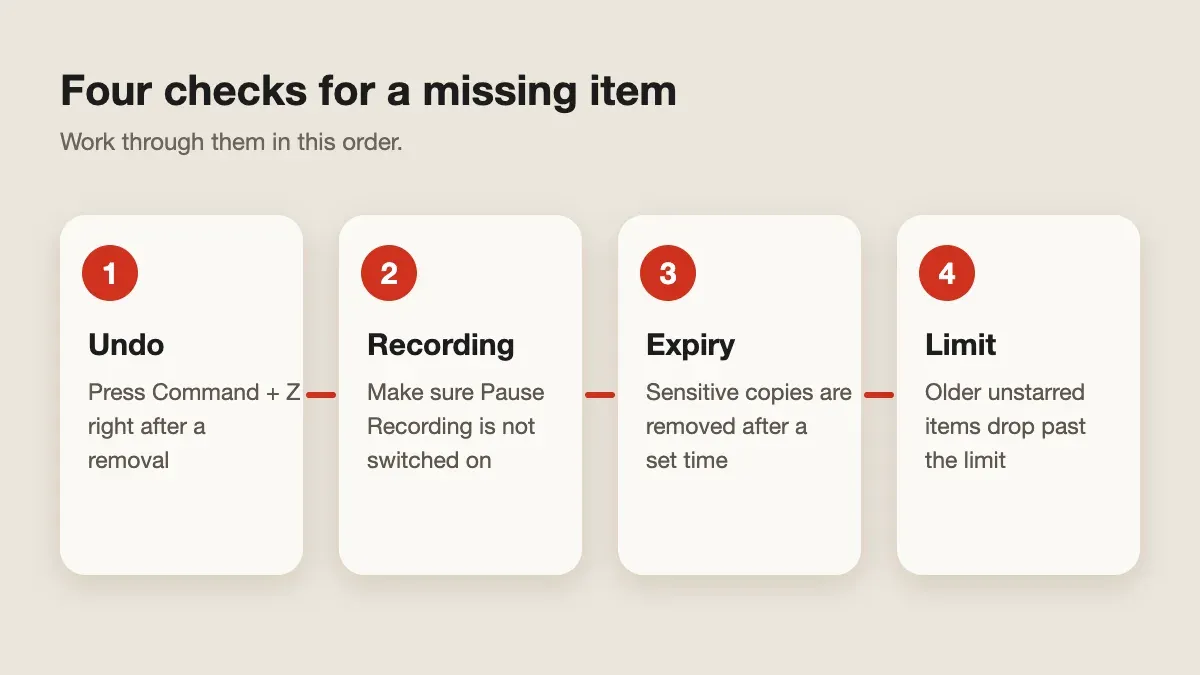
Did you remove it by accident?
After you delete items, Historr shows an Items removed bar with Undo and the shortcut Command + Z. Use it straight away. The Clean Up menu also contains Undo Remove, Clear Paste Stack, and Clear History, so check that you did not clear more than you intended.
Was recording paused?
Historr’s menu bar includes Pause Recording. While it is on, new copies are not captured. Open the menu and make sure recording is running. Our guide to pausing recording and auto-expiry explains when pausing is useful.
Did a sensitive copy expire?
In the Clipboard History settings, Auto-expire sensitive copies removes items such as card numbers, one-time codes, and tokens automatically after a chosen time. The screenshot shows 2 minutes, but that is the configuration captured there, not a promise for every install.
If you copied a one-time code and it disappeared, this setting may be working as designed. If you need to keep an item, copy it again outside the sensitive pattern or store it somewhere more suitable.
Did the history reach its limit?
The same settings page includes Keep up to 100 items in the screenshot. When older unstarred items pass the limit they are removed. The page notes that favorites are always kept.
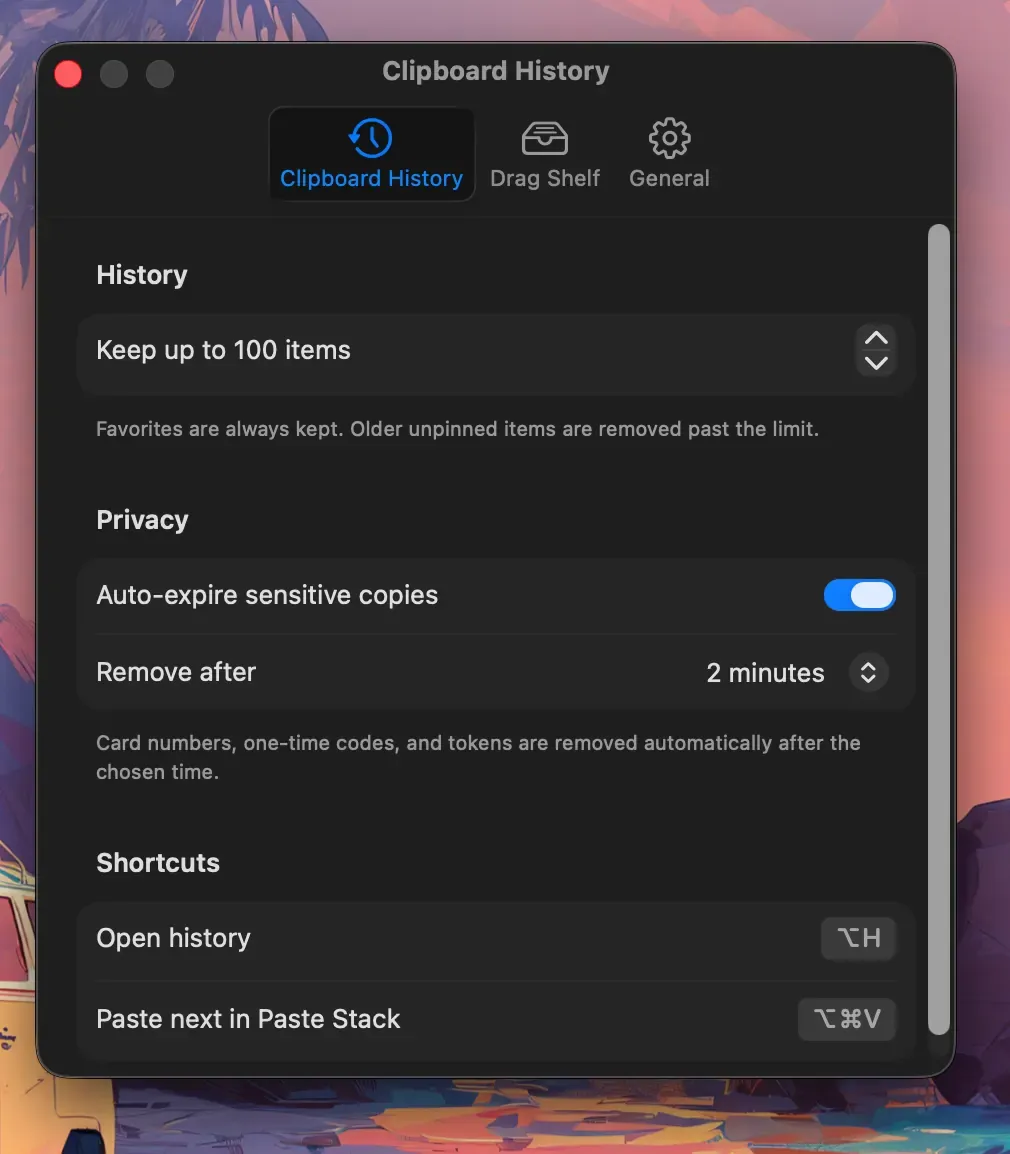
Star anything you may need again. The save, search, and clear guide shows how favorites work.
Is Historr actually running?
If none of these explain it, confirm Historr is open and visible in the menu bar. The General settings include Launch at login, which starts it automatically after a restart. Also check the Accessibility status there, since Historr needs it to paste into other apps.
When should you stop trusting the clipboard?
A clipboard history is a convenience, not an archive. Important text belongs in a document or notes app. See how to view clipboard history on Mac for a wider overview.
Explore Historr and review its settings against your routine. KainoLab makes Historr and provides this guide.


